
Download Neo locus – AI‑Powered Interior Design Tool, Fast Render, Free Trial
Overview
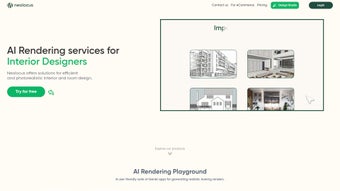
Neo locus is a breakthrough AI‑driven web application that reshapes the way homeowners, design enthusiasts, and professional interior designers visualize and plan interior spaces. By simply uploading a photo of any room and selecting a preferred design style—such as modern minimalism, rustic farmhouse, or mid‑century modern—Neo locus instantly generates a high‑resolution, photorealistic render of the transformed space in under a minute. This rapid turnaround eliminates the long‑drawn‑out sketching phase that traditionally slows down design projects and frees designers to focus on creative decision‑making rather than repetitive technical work.
Beyond the visual mock‑up, Neo locus intelligently recommends furniture, lighting, accessories, and finishes that match the chosen aesthetic, complete with direct links to purchase options. The recommendation engine pulls data from multiple e‑commerce partners, compares prices, and even flags items that are on sale, turning the design process into a one‑stop shop for inspiration and procurement. This seamless integration helps users move from concept to implementation without hopping between multiple apps or websites, dramatically reducing project timelines.
Whether you’re a DIY homeowner wanting to experiment with colors and layouts, or a seasoned interior designer looking to impress clients with swift, customized presentations, Neo locus delivers a secure, user‑friendly experience that accelerates the design workflow while boosting client satisfaction. The platform has already earned accolades at several industry events, underscoring its impact on the interior‑design landscape. With a clean, intuitive interface, cross‑platform accessibility, and powerful AI algorithms that continuously learn from the latest design trends, Neo locus stands out as a must‑have tool for anyone serious about creating beautiful, functional interiors.
Key Features that Set Neo locus Apart
- Instant AI Rendering: Generate photorealistic interior visuals in under 60 seconds after uploading a single room photo.
- Style Library: Choose from over 30 curated design styles, each fine‑tuned to reflect current market trends.
- Smart Product Recommendations: Receive curated lists of furniture, décor, and finishes that match the rendered design, complete with price comparisons and purchase links.
- Real‑Time Editing: Adjust colors, materials, and layout elements on the fly and see immediate updates without re‑uploading images.
- Client Collaboration Portal: Share secure, shareable links with clients for feedback, approval, and direct ordering.
- Cross‑Device Compatibility: Fully web‑based, Neo locus works on Windows, macOS, Linux, iOS, Android, and any modern browser.
- Data Privacy & Security: All uploads are encrypted, stored temporarily, and automatically deleted after the session, ensuring user privacy.
- Regular Updates: The AI engine receives weekly model improvements and new style packs at no extra cost.
- Free Tier & Premium Upgrade: Access core rendering features for free, with optional paid plans for higher resolution exports and unlimited product suggestions.
Each of these features works together to streamline the interior‑design process from concept to purchase. The AI engine, trained on millions of design images, understands spatial relationships, lighting, and material textures, delivering renders that feel almost indistinguishable from a professional 3D visualization. Meanwhile, the integrated product recommendation engine taps into multiple e‑commerce APIs, ensuring that suggested items are not only aesthetically appropriate but also readily available for purchase.
This holistic approach saves designers hours of manual work, reduces the risk of miscommunication with clients, and ultimately leads to faster project closures. In practice, designers can start a project by uploading a simple smartphone photo, select a style, and within seconds have a polished presentation ready for a client meeting. The client can then click through the “Shop the Look” list, add items to a cart, and complete a purchase—all without leaving the Neo locus environment.
For DIY homeowners, the same workflow lets you visualize a new kitchen, living room, or bedroom before you commit to any physical changes, giving you confidence and clarity that traditional mood boards simply cannot match.
Installation & Usage Guide – Get Started in Minutes
Since Neo locus is a cloud‑based web application, there is no traditional software download or installation required. Getting started is as simple as navigating to the official website, creating a free account, and uploading your first room photo. Follow these step‑by‑step instructions to experience the platform’s full capabilities:
- Create an Account: Click the “Sign Up” button on the homepage, enter your email address, and set a secure password. You can also sign up using Google or Apple ID for a quicker onboarding experience.
- Verify Your Email: A verification link will be sent to your inbox. Click the link to activate your account and unlock the rendering engine.
- Upload a Room Photo: From the dashboard, select “New Project.” Drag‑and‑drop a clear, well‑lit photograph of the space you wish to redesign. The AI works best with images that show the full room layout, including walls, floor, and ceiling.
- Select a Design Style: Browse the style library and click on the one that best matches your vision. You can preview sample renders for each style before committing.
- Generate the Render: Hit the “Transform” button. Neo locus’s AI processes the image, applies the chosen style, and returns a high‑resolution render in under a minute.
- Fine‑Tune the Design: Use the side panel to adjust color palettes, swap furniture pieces, or modify lighting. All changes are reflected instantly, allowing you to experiment without waiting for re‑renders.
- Explore Product Recommendations: Click the “Shop the Look” tab to view a curated list of items that match the rendered design. Each product includes price, retailer, and a direct “Add to Cart” link.
- Export or Share: Export the final render as a PNG or JPEG for presentations, or generate a shareable link for client review. Premium users can download 4K resolution files.
- Provide Feedback: Use the built‑in feedback form to report any issues or suggest new styles. The development team actively incorporates user input into weekly updates.
Because Neo locus runs entirely in the browser, you’ll benefit from automatic updates—no manual patches or version checks are needed. The platform also supports offline previews; after the initial render, you can continue to experiment with design tweaks locally, and the changes will sync once you reconnect to the internet. This flexible workflow ensures that whether you’re working from a home office, a client’s site, or on the go with a tablet, you always have a powerful interior‑design assistant at your fingertips.
Additionally, the onboarding wizard includes short tutorial videos that demonstrate how to get the most out of each feature, from style selection to exporting high‑resolution assets. For teams, Neo locus offers role‑based access controls, allowing senior designers to approve client‑facing renders while junior staff can focus on exploratory concepts. All of these usability enhancements are designed to keep the learning curve shallow and the productivity high.
Compatibility, Pros & Cons – What You Need to Know
Neo locus is designed as a truly cross‑platform solution. Since it operates as a web application, it runs on any modern browser (Chrome, Firefox, Safari, Edge) and does not depend on a specific operating system. This universal compatibility makes it ideal for designers who switch between Windows desktops, macOS laptops, Linux workstations, or mobile devices running iOS or Android. For those who prefer a more native feel, Neo locus also offers progressive web app (PWA) capabilities, allowing you to “install” it on your device’s home screen for faster access and offline caching.
Pros
- Lightning‑fast AI rendering—no waiting days for 3D models.
- Intuitive drag‑and‑drop interface suitable for beginners and experts alike.
- Comprehensive product recommendation engine that bridges design and purchasing.
- Secure, encrypted handling of user photos with automatic deletion after sessions.
- Free tier provides robust functionality; premium upgrade unlocks higher‑resolution exports.
- Regular updates keep the AI trained on the latest design trends.
- Cross‑device accessibility eliminates the need for platform‑specific installations.
- Built‑in collaboration tools streamline client feedback loops.
- Progressive Web App support for offline work and quick launch.
Cons
- Reliance on a stable internet connection; performance may degrade on very slow networks.
- Free version limits the number of high‑resolution exports per month.
- Product recommendations are tied to partnered retailers, which may not include every local store.
- Advanced customization (e.g., bespoke furniture design) still requires external 3D modeling tools.
- While the AI is powerful, extremely unconventional design concepts may need manual refinement.
Overall, the benefits of rapid visualization and integrated shopping far outweigh the minor limitations, especially for users who value speed and convenience. The platform’s commitment to privacy and its regular AI enhancements ensure that Neo locus remains a competitive choice in an increasingly crowded market of interior‑design software. Whether you are a solo freelancer or part of a larger design studio, the scalability and flexibility of Neo locus make it a future‑proof investment.
Neo locus has dramatically reduced the time I spend on initial concept presentations. The AI renders are surprisingly accurate, and the product suggestions have helped my clients move from inspiration to purchase without the usual back‑and‑forth. While I wish there were more options for custom furniture, the platform’s speed and ease of use make it an indispensable part of my workflow.
FAQ & Final Thoughts – Is Neo locus Right for You?
How does Neo locus generate a design render so quickly?
Neo locus leverages a proprietary deep‑learning model trained on millions of interior‑design images. The model predicts material, lighting, and layout changes in real time, allowing it to produce photorealistic renders in under a minute after the initial image upload.
Is my uploaded photo stored permanently?
No. All images are encrypted during upload and automatically deleted from our servers once the rendering session ends. This ensures privacy and compliance with data‑protection regulations.
Can I use Neo locus on a mobile device?
Absolutely. Neo locus is fully responsive and works on iOS and Android browsers. You can also install it as a Progressive Web App for offline caching and quicker access.
What is the difference between the free and premium plans?
The free plan offers unlimited standard‑resolution renders and a limited number of product recommendations per month. The premium plan unlocks 4K exports, unlimited product suggestions, priority rendering queues, and early access to new style packs.
Does Neo locus integrate with other design software?
While Neo locus is a standalone web app, exported images can be imported into any design suite (e.g., SketchUp, Revit, Adobe Photoshop). Future updates aim to add direct plugins for popular CAD tools.
Conclusion – Transform Your Space with Neo locus Today
In a market saturated with clunky, time‑consuming design tools, Neo locus stands out as a fast, secure, and user‑friendly solution that bridges the gap between imagination and reality. Its AI‑driven rendering engine delivers professional‑grade visuals in seconds, while the integrated product recommendation system turns those visuals into actionable shopping lists. Whether you’re a DIY homeowner experimenting with color palettes or a seasoned interior designer seeking to impress clients with rapid, high‑quality presentations, Neo locus equips you with the technology to work smarter, not harder.
Ready to see your dream room come to life? Create your free account now, upload a photo, choose a style, and watch the magic happen. Upgrade to the premium plan anytime for ultra‑high‑resolution exports and unlimited design flexibility. Experience the future of interior design—download Neo locus today and turn every space into a masterpiece.



.png)



